
R211x-HP Flexfabric 11900 Network Management and Monitoring Command Reference

80
Default
Synchronous information output is disabled.
Views
System view
Predefined user roles
network-admin
mdc-admin
Usage guidelines
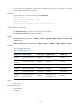
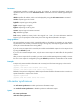
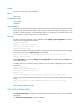
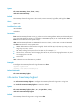
The system log output interrupts ongoing configuration operations, obscuring previously input commands
before the logs. Synchronous information output can show the previous input after log output. It also
privodes a command prompt in command editing mode, or a [Y/N] string in interaction mode so you
can continue your operation from where you were stopped.
Examples
# Enable synchronous information output, and then issue the display current-configuration command to
view the current configuration of the device.
<Sysname> system-view
[Sysname] info-center synchronous
Info-center synchronous output is on
[Sysname] display current-
At this time, the system receives log information. It displays the log information first, and then displays
your previous input, which is display current- in this example.
%May 21 14:33:19:425 2007 Sysname SHELL/4/LOGIN: VTY login from 192.168.1.44
[Sysname] display current-
Enter configuration to complete the display current-configuration command, and press the Enter key to
execute the command.
# Enable synchronous information output, and then save the current configuration (enter interactive
information).
<Sysname> system-view
[Sysname] info-center synchronous
Info-center synchronous output is on
[Sysname] save
The current configuration will be written to the device. Are you sure? [Y/N]:
At this time, the system receives the log information. It displays the log information first and then displays
[Y/N].
%May 21 14:33:19:425 2007 Sysname SHELL/4/LOGIN: VTY login from 192.168.1.44
[Y/N]:
Enter Y or N to complete your input.
info-center timestamp
Use info-center timestamp to configure the timestamp format for logs sent to console, monitor, log buffer,
and log file.
Use undo info-center timestamp to restore the default.