
R211x-HP Flexfabric 11900 Network Management and Monitoring Configuration Guide

176
Ste
p
Command
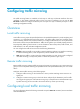
2. Apply a QoS policy globally.
qos apply policy policy-name global { inbound |
outbound }
Applying a QoS policy to the control plane
You can apply a QoS policy to the control plane to mirror the traffic in a specific direction on all ports of
the control plane.
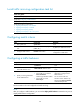
To apply a QoS policy to the control plane:
Ste
p
Command
1. Enter system view.
system-view
2. Enter control plane view.
• In standalone mode:
control-plane slot slot-number
• In IRF mode:
control-plane chassis chassis-number slot slot-number
3. Apply a QoS policy to the control plane.
qos apply policy policy-name { inbound | outbound }
Configuring remote traffic mirroring
Configuring remote traffic mirroring on the source device
To configure remote traffic mirroring on the source device, perform the following tasks:
• Configuring traffic mirroring—Mirrors the matching packets to an interface (supposing port A) that
connects to the destination device. For more information about configuring traffic mirroring on the
source device, see "Configuring local traffic mirroring."
• Configur
ing remote source group—Creates a remote source group on the source device, and
configures the destination for traffic mirroring (port A) as the egress port of the remote source group.
For more information, see "Configuring a remote source group on the source device."
To prevent pa
ckets received or sent by the source port from being mirrored to the destination
device through the remote source group, HP recommends that you use an unused interface as the
source port of the remote source group.
Configuring remote traffic mirroring on the destination device
You only need to configure a remote destination group on the destination device. For more information,
see "Configuring a remote destination group on the destination device."