
R211x-HP Flexfabric 11900 Network Management and Monitoring Configuration Guide


183
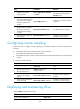
Ste
p
Command
Remarks
3. (Optional.) Set the flow
sampling mode.
sflow sampling-mode { determine
| random }
The default setting is random.
The switch does not support the
determine mode.
4. Enable flow sampling and
specify the number of packets
out of which flow sampling
samples a packet on the
interface.
sflow sampling-rate rate
By default, flow sampling samples
no packet.
5. (Optional.) Set the maximum
number of bytes of a packet
(starting from the packet
header) that flow sampling
can copy.
sflow flow max-header length The default setting is 128 bytes.
6. Specify the sFlow collector for
flow sampling.
sflow flow collector collector-id
By default, no sFlow collector is
specified for flow sampling.
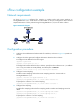
Configuring counter sampling
Perform this task to configure counter sampling on an Ethernet interface. The sFlow agent does the
following:
• Periodically collects the counter information on that interface.
• Encapsulates the information into sFlow packets.
• Encapsulates the sFlow packets in UDP packets and sends the UDP packets to the specified sFlow
collector.
To configure counter sampling:
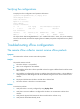
Ste
p
Command
Remarks
1. Enter system view.
system-view N/A
2. Enter Layer 2 Ethernet
interface view or Layer 3
Ethernet interface view.
interface interface-type
interface-number
N/A
3. Enable counter sampling and
set the counter sampling
interval.
sflow counter interval interval-time
By default, counter sampling is
disabled.
4. Specify the sFlow collector for
counter sampling.
sflow counter collector collector-id
By default, no sFlow collector is
specified for counter sampling.
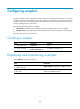
Displaying and maintaining sFlow
Execute display commands in any view.
Task Command
Display sFlow configuration. display sflow