
R211x-HP Flexfabric 11900 Network Management and Monitoring Configuration Guide

27
address for the NTP messages to be sent. Set the loopback interface as the source interface so that any
interface status change on the device will not cause NTP messages to be unable to be received.
When the device responds to an NTP request, the source IP address of the NTP response is always the
IP address of the interface that has received the NTP request.
Follow these guidelines when you specify the source interface for NTP messages:
• If you have specified the source interface for NTP messages in the ntp-service [ ipv6 ] unicast-server
or ntp-service [ ipv6 ] unicast-peer command, the interface specified in the ntp-service [ ipv6 ]
unicast-server or ntp-service [ ipv6 ] unicast-peer command serves as the source interface for NTP
messages.
• If you have configured the ntp-service broadcast-server or ntp-service [ ipv6 ] multicast-server
command, the source interface for the broadcast or multicast NTP messages is the interface
configured with the respective command.
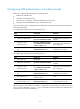
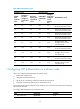
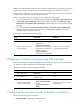
To specify the source interface for NTP messages:
Ste
p
Command
Remarks
1. Enter system view.
system-view N/A
2. Specify the source interface
for NTP messages.
• Specify the source interface for
NTP messages:
ntp-service source-interface
interface-type interface-number
• Specify the source interface for
IPv6 NTP messages:
ntp-service ipv6 source
interface-type interface-number
By default, no source interface is
specified for NTP messages.
Disabling an interface from processing NTP messages
When NTP is enabled, all interfaces by default can process NTP messages. For security purposes, you
can disable some of the interfaces from processing NTP messages.
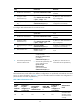
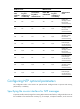
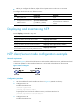
To disable an interface from processing NTP messages:
Ste
p
Command
Remarks
1. Enter system view.
system-view N/A
2. Enter interface view.
interface interface-type
interface-number
N/A
3. Disable the interface from
processing NTP messages.
• For IPv4:
ntp-service inbound disable
• For IPv6:
ntp-service ipv6 inbound
disable
By default, an interface processes
NTP messages.
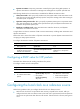
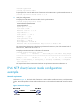
Configuring the maximum number of dynamic associations
NTP has the following types of associations:
• Static association—A manually created association.