
R211x-HP Flexfabric 11900 Network Management and Monitoring Configuration Guide

28
• Dynamic association—Temporary association created by the system during NTP operation. A
dynamic association is removed if no messages are exchanged over a specific period of time.
The following describes how an association is established in different association modes:
• Client/server mode—After you specify an NTP server, the system creates a static association on the
client. The server simply responds passively upon the receipt of a message, rather than creating an
association (static or dynamic).
• Symmetric active/passive mode—After you specify a symmetric-passive peer on a symmetric active
peer, static associations are created on the symmetric-active peer, and dynamic associations are
created on the symmetric-passive peer.
• Broadcast or multicast mode—Static associations are created on the server, and dynamic
associations are created on the client.
A single device can have a maximum of 128 concurrent associations, including static associations and
dynamic associations.
Perform this task to restrict the number of dynamic associations to prevent dynamic associations from
occupying too many system resources.
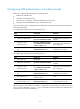
To configure the maximum number of dynamic associations:
Ste
p
Command
Remarks
1. Enter system view.
system-view N/A
2. Configure the maximum
number of dynamic sessions
allowed to be established.
ntp-service max-dynamic-sessions
number
By default, the command can
establish up to 100 dynamic
sessions.
Configuring a DSCP value for NTP packets
The DSCP value determines the sending precedence of a packet.
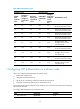
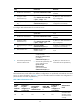
To configure a DSCP value for NTP packets:
Ste
p
Command
Remarks
1. Enter system view.
system-view N/A
2. Set a DSCP value for NTP
packets.
• IPv4 packets:
ntp-service dscp dscp-value
• IPv6 packets:
ntp-service ipv6 dscp
dscp-value
The defaults for a DSCP value:
• 48 for IPv4 NTP packets.
• 56 for IPv6 NTP packets.
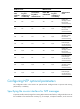
Configuring the local clock as a reference source
Follow these guidelines when you configure the local clock as a reference source:
• Make sure the local clock can provide the time accuracy required for the network. After you
configure the local clock as a reference source, the local clock is synchronized, and can operate as
a time server to synchronize other devices in the network. If the local clock is incorrect, timing errors
occur.