
R211x-HP Flexfabric 11900 Network Management and Monitoring Configuration Guide

69
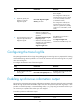
Ste
p
Command
Remarks
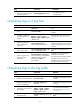
3. Disable the interface from
generating link up or link
down logs.
undo enable log updown
By default, all interfaces generate
link up and link down logs when
the interface state changes.
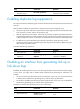
Displaying and maintaining information center
Execute display commands in any view and reset commands in user view.
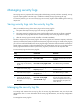
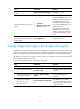
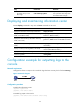
Task Command
Display the information of each output destination. display info-center
Display the state and the log information of the log
buffer (in standalone mode).
display logbuffer [ reverse ] [ level severity | size
buffersize | slot slot-number ] *
Display the state and the log information of the log
buffer (in IRF mode).
display logbuffer [ reverse ] [ level severity | size
buffersize | chassis chassis-number slot slot-number ]
*
Display a summary of the log buffer (in standalone
mode).
display logbuffer summary [ level severity | slot
slot-number ] *
Display a summary of the log buffer (in IRF mode).
display logbuffer summary [ level severity | chassis
chassis-number slot slot-number ] *
Display the configuration of the log file. display logfile summary
Clear the log buffer. reset logbuffer
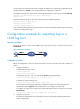
Configuration example for outputting logs to the
console
Network requirements
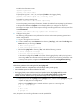
Configure the device to output to the console FTP logs that have a severity level of at least warning.
Figure 22 Network diagram
Configuration procedure
# Enable the information center.
<Sysname> system-view
[Sysname] info-center enable
# Disable log output to the console.
[Sysname] info-center source default console deny