
R211x-HP Flexfabric 11900 Security Command Reference

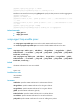
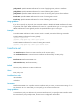
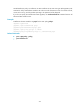
Table Of Contents
- Title Page
- Contents
- AAA commands
- General AAA commands
- aaa session-limit
- accounting command
- accounting default
- accounting lan-access
- accounting login
- authentication default
- authentication lan-access
- authentication login
- authentication super
- authorization command
- authorization default
- authorization lan-access
- authorization login
- authorization-attribute (ISP domain view)
- display domain
- domain
- domain default enable
- state (ISP domain view)
- Local user commands
- RADIUS commands
- accounting-on enable
- data-flow-format (RADIUS scheme view)
- display radius scheme
- display radius statistics
- key (RADIUS scheme view)
- nas-ip (RADIUS scheme view)
- primary accounting (RADIUS scheme view)
- primary authentication (RADIUS scheme view)
- radius nas-ip
- radius session-control enable
- radius scheme
- reset radius statistics
- retry
- retry realtime-accounting
- secondary accounting (RADIUS scheme view)
- secondary authentication (RADIUS scheme view)
- security-policy-server
- snmp-agent trap enable radius
- state primary
- state secondary
- timer quiet (RADIUS scheme view)
- timer realtime-accounting (RADIUS scheme view)
- timer response-timeout (RADIUS scheme view)
- user-name-format (RADIUS scheme view)
- vpn-instance (RADIUS scheme view)
- HWTACACS commands
- data-flow-format (HWTACACS scheme view)
- display hwtacacs scheme
- hwtacacs nas-ip
- hwtacacs scheme
- key (HWTACACS scheme view)
- nas-ip (HWTACACS scheme view)
- primary accounting (HWTACACS scheme view)
- primary authentication (HWTACACS scheme view)
- primary authorization
- reset hwtacacs statistics
- secondary accounting (HWTACACS scheme view)
- secondary authentication (HWTACACS scheme view)
- secondary authorization
- timer quiet (HWTACACS scheme view)
- timer realtime-accounting (HWTACACS scheme view)
- timer response-timeout (HWTACACS scheme view)
- user-name-format (HWTACACS scheme view)
- vpn-instance (HWTACACS scheme view)
- LDAP commands
- General AAA commands
- 802.1X commands
- MAC authentication commands
- Port security commands
- display port-security
- display port-security mac-address block
- display port-security mac-address security
- port-security authorization ignore
- port-security enable
- port-security intrusion-mode
- port-security mac-address security
- port-security mac-move permit
- port-security max-mac-count
- port-security ntk-mode
- port-security oui
- port-security port-mode
- port-security timer autolearn aging
- port-security timer disableport
- Password control commands
- display password-control
- display password-control blacklist
- password-control { aging | composition | history | length } enable
- password-control aging
- password-control alert-before-expire
- password-control complexity
- password-control composition
- password-control enable
- password-control expired-user-login
- password-control history
- password-control length
- password-control login idle-time
- password-control login-attempt
- password-control super aging
- password-control super composition
- password-control super length
- password-control update-interval
- reset password-control blacklist
- reset password-control history-record
- Public key management commands
- IPsec commands
- ah authentication-algorithm
- description
- display ipsec { ipv6-policy | policy }
- display ipsec sa
- display ipsec statistics
- display ipsec transform-set
- display ipsec tunnel
- encapsulation-mode
- esp authentication-algorithm
- esp encryption-algorithm
- ike-profile
- ipsec anti-replay check
- ipsec anti-replay window
- ipsec apply
- ipsec decrypt-check enable
- ipsec logging packet enable
- ipsec df-bit
- ipsec global-df-bit
- ipsec { ipv6-policy | policy }
- ipsec { ipv6-policy | policy } local-address
- ipsec sa global-duration
- ipsec sa idle-time
- ipsec transform-set
- local-address
- pfs
- protocol
- qos pre-classify
- remote-address
- reset ipsec sa
- reset ipsec statistics
- sa duration
- sa hex-key authentication
- sa hex-key encryption
- sa idle-time
- sa spi
- sa string-key
- security acl
- snmp-agent trap enable ipsec
- transform-set
- IKE commands
- authentication-algorithm
- authentication-method
- dh
- display ike proposal
- display ike sa
- dpd
- encryption-algorithm
- exchange-mode
- ike dpd
- ike identity
- ike invalid-spi-recovery enable
- ike keepalive interval
- ike keepalive timeout
- ike keychain
- ike limit
- ike nat-keepalive
- ike profile
- ike proposal
- inside-vpn
- keychain
- local-identity
- match local address (IKE keychain view)
- match local address (IKE profile view)
- match remote
- pre-shared-key
- priority (IKE keychain view)
- priority (IKE profile view)
- proposal
- reset ike sa
- reset ike statistics
- sa duration
- snmp-agent trap enable ike
- SSH commands
- SSH server commands
- display ssh server
- display ssh user-information
- sftp server enable
- sftp server idle-timeout
- ssh server acl
- ssh server authentication-retries
- ssh server authentication-timeout
- ssh server compatible-ssh1x enable
- ssh server dscp
- ssh server enable
- ssh server ipv6 acl
- ssh server ipv6 dscp
- ssh server rekey-interval
- ssh user
- SSH client commands
- SSH server commands
- IP source guard commands
- ARP attack protection commands
- Unresolvable IP attack protection commands
- ARP packet rate limit commands
- Source MAC-based ARP attack detection commands
- ARP packet source MAC consistency check commands
- ARP active acknowledgement commands
- Authorized ARP commands
- ARP detection commands
- ARP automatic scanning and fixed ARP commands
- ARP gateway protection commands
- ARP filtering commands
- uRPF commands
- Crypto engine commands
- FIPS commands
- Support and other resources
- Index
216
security acl
Use security acl to reference an ACL for an IPsec policy.
Use undo security acl to remove the ACL referenced by an IPsec policy.
Syntax
security acl [ ipv6 ] { acl-number | name acl-name } [ aggregation | per-host ]
undo security acl
Default
An IPsec policy references no ACL.
Views
IPsec policy view
Predefined user roles
network-admin
mdc-admin
Parameters
ipv6: Specifies an IPv6 ACL.
acl-number: Specifies an ACL by its number in the range of 3000 to 3999.
name acl-name: Specifies an ACL by its name, a case-insensitive string of 1 to 63 characters.
aggregation: Specifies the data protection mode as aggregation. The device does not support protecting
IPv6 data flows in aggregation mode.
per-host: Specifies the data protection mode as per-host.
Usage guidelines
An IKE-based IPsec policy supports the following data flow protection modes:
• Standard mode—One IPsec tunnel protects one data flow. The data flow permitted by an ACL rule
is protected by one IPsec tunnel that is established solely for it. The standard mode is used if you do
not specify the aggregation or the per-host mode.
• Aggregation mode—One IPsec tunnel protects all data flows permitted by all the rules of an ACL.
This mode is only used to communicate with old-version devices.
• Per-host mode—One IPsec tunnel protects one host-to-host data flow. One host-to-host data flow is
identified by one ACL rule and protected by one IPsec tunnel established solely for it. This mode
consumes more system resources when multiple data flows exist between two subnets to be
protected.
A manual IPsec policy supports only the standard mode.
Examples
# Reference ACL 3001 for the IPsec policy policy1.
<Sysname> system-view
[Sysname] acl number 3001
[Sysname-acl-adv-3001] rule permit tcp source 10.1.1.0 0.0.0.255 destination 10.1.2.0
0.0.0.255
[Sysname-acl-adv-3001] quit