
R211x-HP Flexfabric 11900 Security Configuration Guide


120
Displaying a host public key in a specific format and saving it
to a file
After you display a host public key in a specific format, save the key to a file and transfer the file to the
peer device.
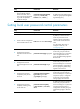
To display a local host public key in a specific format:
Ste
p
Command
1. Enter system view.
system-view
2. Display local host public keys
in a specific format.
• Display RSA host public keys:
{ In non-FIPS mode:
public-key local export rsa [ name key-name ] { openssh | ssh1 |
ssh2 }
{ In FIPS mode:
public-key local export rsa [ name key-name ] { openssh | ssh2 }
• Display DSA host public keys:
public-key local export dsa [ name key-name ] { openssh | ssh2 }
Displaying a host public key
Display a host public key and copy it to an unformatted file. You must literally enter the key on the peer
device.
Perform the following tasks in any view:
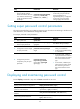
Task Command
Display local RSA public keys. display public-key local rsa public [ name key-name ]
Display local DSA public keys. display public-key local dsa public [ name key-name ]
NOTE:
Do not distribute the RSA server public key serverkey (default) to a peer device.
Destroying a local key pair
To avoid key compromise, destroy a local key pair and generate a new pair after any of the the
following:
• An intrusion event has occurred.
• The storage media of the device is replaced.
• The key pair has been used for a long time.
• The local certificate has expired.
To destroy a local key pair: