
R211x-HP Flexfabric 11900 Security Configuration Guide

177
Configuring the device as an Stelnet client
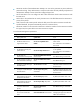
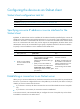
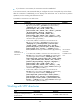
Stelnet client configuration task list
Tasks at a
g
lance
(Optional.) Specifying a source IP address or source interface for the Stelnet client
(Required.) Establishing a connection to an Stelnet server
Specifying a source IP address or source interface for the
Stelnet client
By default, an Stelnet client uses the IP address of the outbound interface specified by the route to the
Stelnet server when communicating with the Stelnet server. You can specify a source IP address or source
interface for the client to communicate with the server. To make sure the Stelnet client and the Stelnet
server can communicate with each other, and to improve the manageability of Stelnet clients in the
authentication service, HP recommends that you specify a loopback interface as the source interface.
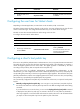
To specify a source IP address or source interface for the Stelnet client:
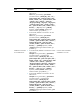
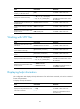
Step Command Remarks
1. Enter system view.
system-view
N/A
2. Specify a source address
or source interface for the
Stelnet client.
•
Specify a source IPv4 address or
source interface for the Stelnet client:
ssh client source { interface
interface-type interface-number | ip
ip-address }
• Specify a source IPv6 address or
source interface for the Stelnet client:
ssh client ipv6 source { interface
interface-type interface-number | ipv6
ipv6-address }
Use either command.
By default, an Stelnet client uses
the IP address of the outbound
interface specified by the route
to the Stelnet server when
communicating with the Stelnet
server.
Establishing a connection to an Stelnet server
When you try to access an Stelnet server, the device must use the server's host public key to authenticate
the server. If you have not configured the server's host public key on the device, the device will ask you
whether you want to continue with the access.
• If you choose to continue, the device accesses the server and downloads the server's host public
key.
• If you choose to not continue, the connection cannot be established.
In an insecure network, HP recommends that you configure the server's host public key on the device.
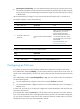
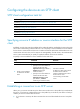
To establish a connection to an Stelnet server: