
R211x-HP Flexfabric 11900 Security Configuration Guide



243
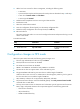
4. Add a local user account for device management, including the following items:
{ A username.
{ A password that complies with the password control policies as described in step 2 and step 3.
{ A user role of network-admin or mdc-admin.
{ A service type of terminal.
5. Delete the FIPS-incompliant local user service types Telnet and FTP.
6. Enable FIPS mode.
7. Select the manual reboot method.
8. Save the configuration file and specify it as the startup configuration file.
9. Delete the startup configuration file in binary format (an .mdb file).
10. Reboot the device.
The system enters FIPS mode. You can use the configured username and password to log in to the
device in FIPS mode.
To enable FIPS mode:
Ste
p
Command
Remarks
1. Enter system view.
system-view N/A
2. Enable FIPS mode.
fips mode enable
By default, the FIPS mode is
disabled.
Configuration changes in FIPS mode
When the system enters FIPS mode, the following system changes occur:
• The user login authentication mode can only be scheme.
• The FTP/TFTP server and client are disabled.
• The Telnet server and client are disabled.
• SNMPv1 and SNMPv2c are disabled. Only SNMPv3 is available.
• The SSH server does not support SSHv1 clients and DSA key pairs.
• The generated RSA and DSA key pairs must have a modulus length of 2048 bits.
When the device acts as a server to authenticate a client through the public key, the key pair for
the client must also have a modulus length of 2048 bits.
• SSH, SNMPv3, and IPsec do not support DES, 3DES, RC4, and MD5.
• The password control function cannot be disabled globally. The undo password-control enable
command does not take effect.
• The keys must contain at least 15 characters and 4 character types of uppercase and lowercase
letters, digits, and special characters. This requirement applies to the following passwords:
{ AAA server's shared key.
{ IKE pre-shared key.
{ SNMPv3 authentication key.