
R211x-HP Flexfabric 11900 TRILL Configuration Guide


24
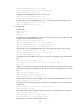
[RB2-FortyGigE3/0/50] undo stp enable
[RB2-FortyGigE3/0/50] quit
# Assign IP address 30.1.1.1/24 to VLAN-interface 101.
[RB2] interface Vlan-interface 101
[RB2-Vlan-interface101] ip address 30.1.1.1 255.255.255.0
[RB2-Vlan-interface101] quit
# Assign port Ten-GigabitEthernet 3/0/48 to VLAN 102.
[RB2] vlan 102
[RB2-vlan102] quit
[RB2-vlan102] interface ten-gigabitethernet 3/0/48
[RB2-Ten-GigabitEthernet3/0/48] port access vlan 102
[RB2-Ten-GigabitEthernet3/0/48] quit
# Assign IP address 20.1.1.1/24 to VLAN-interface 102.
[RB2] interface Vlan-interface 102
[RB2-Vlan-interface102] ip address 20.1.1.1 255.255.255.0
[RB2-Vlan-interface102] quit
3. Configure the IP address of the server as 30.1.1.3/24, and configure the IP address of the core
device as 20.1.1.2/24. (Details not shown.)
Verifying the configuration
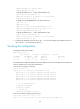
# Display the ARP entries on RB2.
[RB2] display arp all
Type: S-Static D-Dynamic M-Multiport I-Invalid
IP Address MAC Address VLAN Interface Aging Type
30.1.1.3 0010-9400-0012 101 FGE3/0/50 12 D
20.1.1.2 0010-9400-000f 102 XGE3/0/48 11 D
The output shows that RB2 has learned the server IP address 30.1.1.3 from the TRILL network and the core
device IP address 20.1.1.2 from the routed network.
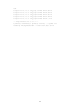
# On the server, ping the core device.
[Server] ping 20.1.1.2
PING 20.1.1.2: 56 data bytes, press CTRL_C to break
Reply from 20.1.1.2: bytes=56 Sequence=1 ttl=255 time=3 ms
Reply from 20.1.1.2: bytes=56 Sequence=2 ttl=255 time=2 ms
Reply from 20.1.1.2: bytes=56 Sequence=3 ttl=255 time=2 ms
Reply from 20.1.1.2: bytes=56 Sequence=4 ttl=255 time=2 ms
Reply from 20.1.1.2: bytes=56 Sequence=5 ttl=255 time=2 ms
--- 20.1.1.2 ping statistics ---
5 packet(s) transmitted
5 packet(s) received
0.00% packet loss
round-trip min/avg/max = 2/2/3 ms
# On the core device, ping the gateway 30.1.1.1.
[Core Device] ping –a 20.1.1.2 30.1.1.1
Ping 30.1.1.1 (30.1.1.1) from 20.1.1.2: 56 data bytes, press CTRL_C to b