
R21xx-HP FlexFabric 11900 ACL and QoS Command Reference
46
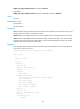
red: Specifies red packets.
yellow: Specifies yellow packets.
dot1p-value: Specifies the 802.1p priority to be marked for packets, in the range of 0 to 7.
customer-dot1p-trust: Copies the 802.1p priority value in the inner VLAN tag to the outer VLAN tag after
the QoS policy is applied to an interface.
Usage guidelines
Using both the remark dot1p dot1p-value command and the remark dot1p customer-dot1p-trust
command will cause them to override each other. The most recent configuration of them takes effect.
The remark dot1p customer-dot1p-trust command does not take effect on single-tagged packets.
Examples
# Configure traffic behavior database to mark matching traffic with 802.1p 2.
<Sysname> system-view
[Sysname] traffic behavior database
[Sysname-behavior-database] remark dot1p 2
# Configure an inner-to-outer tag priority copying action in traffic behavior database.
<Sysname> system-view
[Sysname] traffic behavior database
[Sysname-behavior-database] remark dot1p customer-dot1p-trust
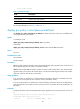
remark drop-precedence
Use remark drop-precedence to configure a drop priority marking action.
Use undo remark drop-precedence to restore the default.
Syntax
remark drop-precedence drop-precedence-value
undo remark drop-precedence
Default
No drop priority marking action is configured.
Views
Traffic behavior view
Predefined user roles
network-admin
Parameters
drop-precedence-value: Specifies the drop priority to be marked for packets, in the range of 0 to 2.
Usage guidelines
The command applies to only incoming traffic.
Examples
# Configure traffic behavior database to mark matching traffic with drop priority 2.
<Sysname> system-view
[Sysname] traffic behavior database