
R21xx-HP FlexFabric 11900 ACL and QoS Command Reference

55
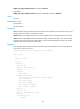
Filter enable: Permit
Table 19 Command output
Field Descri
p
tion
Direction Direction (inbound) in which the QoS policy is applied.
Green packets Statistics about green packets.
Red packets Statistics about red packets.
For the output description, see Table 15 and Table 17.
display qos policy control-plane pre-defined
Use display qos policy control-plane pre-defined to display information about the pre-defined QoS
policy applied to the control plane.
Syntax
In standalone mode:
display qos policy control-plane pre-defined [ slot slot-number ]
In IRF mode:
display qos policy control-plane pre-defined [ chassis chassis-number slot slot-number ]
Views
Any view
Predefined user roles
network-admin
network-operator
Parameters
slot slot-number: Displays information about the pre-defined QoS policy applied to the control plane of
the card specified by the slot number. (In standalone mode.)
chassis chassis-number slot slot-number: Specifies a card on an IRF member device. The chassis-number
argument refers to the ID of the IRF member device, and the slot-number argument refers to the number
of the slot where the card resides. (In IRF mode.)
Usage guidelines
If no slot number is specified, this command displays information about the pre-defined QoS policy
applied to the control plane of each in-position card. (In standalone mode.)
If no slot or IRF member ID is specified, this command displays information about the pre-defined QoS
policy applied to the control plane of each in-position card on any member device of the IRF fabric. (In
IRF mode.)
Examples
# Display information about the pre-defined QoS policy applied to the control plane of the card in slot
3.
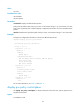
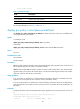
<Sysname> display qos policy control-plane pre-defined slot 3
Pre-defined control plane policy slot 3
Protocol Priority Bandwidth (kbps) Group