
R21xx-HP FlexFabric 11900 ACL and QoS Command Reference
64
Usage guidelines
A global QoS policy takes effect on all incoming or outgoing traffic depending on the direction in which
the QoS policy is applied.
Examples
# Apply the QoS policy user1 to the incoming traffic globally.
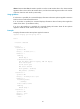
<Sysname> system-view
[Sysname] qos apply policy user1 global inbound
qos policy
Use qos policy to create a QoS policy and enter QoS policy view.
Use undo qos policy to delete a QoS policy.
Syntax
qos policy policy-name
undo qos policy policy-name
Default
No QoS policy is configured.
Views
System view
Predefined user roles
network-admin
Parameters
policy-name: QoS policy name, a case-sensitive string of 1 to 31 characters.
Usage guidelines
To use the undo qos policy command to delete a QoS policy that has been applied to a certain object,
you must first remove it from the object.
Examples
# Define QoS policy user1.
<Sysname> system-view
[Sysname] qos policy user1
[Sysname-qospolicy-user1]
Related commands
• classifier behavior
• qos apply policy
• qos apply policy global
• qos vlan-policy
qos vlan-policy
Use qos vlan-policy to apply a QoS policy to the specified VLANs.
Use undo qos vlan-policy to remove the QoS policy from the specified VLANs.