
R21xx-HP FlexFabric 11900 ACL and QoS Command Reference


79
ef 1 9
cs6 2 13
cs7 2 15
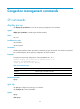
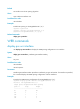
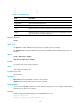
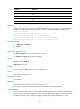
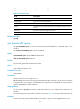
Table 31 Command output
Field Descri
p
tion
Interface Interface type and interface number.
Output queue Type of the current output queue.
Queue ID ID of a queue.
Group
Number of the group a queue is assigned to. By default, all queues belong to group
1.
Weight
Packet-based queue scheduling weight of a queue. N/A is displayed for a queue
that uses the SP queue scheduling algorithm.
Related commands
qos wrr
qos wrr
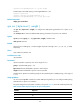
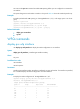
Use qos wrr to enable WRR queuing and specify the weight type for an interface.
Use undo qos wrr to disable WRR queuing and restore the default queue scheduling algorithm for an
interface.
Syntax
qos wrr { byte-count | weight }
undo qos wrr { byte-count | weight }
Default
An interface uses the SP queuing algorithm.
Views
Layer 2 Ethernet interface view
Predefined user roles
network-admin
Parameters
byte-count: Allocates bandwidth to queues in terms of bytes.
weight: Allocates bandwidth to queues in terms of packets.
Usage guidelines
You must use the qos wrr command to enable WRR queuing before you can configure WRR queuing
parameters for a queue on an interface.
Examples
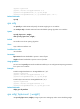
# Enable weight-based WRR queuing on Ten-GigabitEthernet 1/0/1.
<Sysname> system-view
[Sysname] interface ten-gigabitethernet 1/0/1