
R21xx-HP FlexFabric 11900 ACL and QoS Command Reference
92
qos wred queue table
Use qos wred queue table to create a WRED table and enter WRED table view.
Use undo qos wred queue table to delete a WRED table.
Syntax
qos wred queue table table-name
undo qos wred queue table table-name
Default
No WRED table exists on the switch.
Views
System view
Predefined user roles
network-admin
Parameters
queue: Creates a queue-based WRED table, which drops packets based on the queue when congestion
occurs.
table table-name: Specifies a name for the WRED table.
Usage guidelines
You cannot delete a WRED table in use. To delete it, first remove it from the specified interface.
Examples
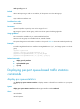
# Create a queue-based WRED table named queue-table1.
<Sysname> system-view
[Sysname] qos wred queue table queue-table1
[Sysname-wred-table-queue-table1]
Related commands
display qos wred table
queue
Use queue to configure the drop-related parameters for a specified queue in the queue-based WRED
table.
Use undo queue to restore the default.
Syntax
queue queue-value [ drop-level drop-level ] low-limit low-limit high-limit high-limit [ discard-probability
discard-prob ]
undo queue { queue-value | all }
Default
After a WRED table is created, the low-limit argument is 100, the high-limit argument is 1000, and the
discard-prob argument is 10.