
R21xx-HP FlexFabric 11900 EVB Command Reference
13
Default
Only an automatically created default S-channel, with both SCID and SVID as 1, exists on a port with EVB
enabled.
Views
Layer 2 Ethernet interface view
Predefined user roles
network-admin
Parameters
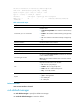
channel-id: Specifies an S-channel ID (SCID) in the range of 2 to 167. 0 is the reserved SCID, and 1 is the
default SCID.
svlan-id: Specifies an S-VLAN ID (SVID) in the range of 2 to 4094. 1 is the SVID for the default S-channel.
Usage guidelines
• An S-channel is automatically created through CDCP, and the command line corresponding to the
action is added to the configuration file on the bridge. You can also manually create an S-channel
by using this command. If an (SCID, SVID) pair for an S-channel is created both automatically and
manually, the automatically created S-channel takes precedence.
• After an S-channel is created, an S-channel interface is automatically generated. Removing an
S-channel also removes the corresponding S-channel interface. A manually created S-channel
interface operates in access mode, and an S-channel interface that is automatically created through
CDCP operates in trunk mode.
• When you manually create an S-channel, do not use the SCID or SVID being used by any other
S-channel. Otherwise an error is prompted.
• Create an S-channel on a port with EVB enabled. Otherwise an error is prompted.
• To manually create or remove S-channel, disable CDCP to automatically perform these operations.
Examples
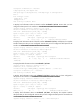
# Create an S-channel on Ten-GigabitEthernet 1/0/1, with the SCID 10 and SVID 5.
<Sysname> system-view
[Sysname] interface ten-gigabitethernet 1/0/1
[Sysname-Ten-GigabitEthernet1/0/1] evb s-channel 10 service-vlan 5
Related commands
• evb enable
• interface s-channel
evb vdp timer keepalive exponent
Use evb vdp timer keepalive exponent to configure a VDP keepalive exponent.
Use undo evb vdp timer keepalive exponent to restore the default.
Syntax
evb vdp timer keepalive exponent value
undo evb vdp timer keepalive exponent