
R21xx-HP FlexFabric 11900 FCoE Command Reference
51
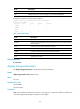
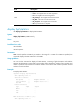
vsan vsan-id: Specifies the VSAN to which the interface belongs, in the range of 1 to 3839.
Usage guidelines
Each link has a different cost. The route selection algorithm uses this value to determine the best route. The
smaller the interface FSPF cost, the smaller the link cost.
Examples
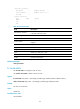
# Configure the FSPF cost of interface VFC 1 in VSAN 4 as 1000.
<Sysname> system-view
[Sysname] interface vfc 1
[Sysname-vfc1] fspf cost 1000 vsan 4
fspf dead-interval
Use fspf dead-interval to configure the dead interval for the interface in a specified VSAN.
Use undo fspf dead-interval to restore the default.
Syntax
fspf dead-interval value vsan vsan-id
undo fspf dead-interval vsan vsan-id
Default
The default setting is 80 seconds.
Views
VFC interface view
Predefined user roles
network-admin
Parameters
value: Dead interval of the interface in seconds, in the range of 2 to 65535.
vsan vsan-id: Specifies the VSAN to which the interface belongs, in the range of 1 to 3839.
Usage guidelines
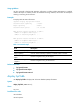
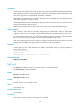
After two switches establish a neighbor relationship, they send Hello packets at the Hello interval to each
other to maintain the neighbor relationship. The dead interval specifies the interval during which at least
one Hello packet must be received from a neighbor before the neighbor is considered to be nonexistent
and is removed.
The configured dead interval must be greater than the Hello interval and must be the same at the two
ends of the link.
Examples
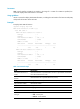
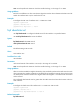
# Configure the dead interval for interface VFC 1 in VSAN 4 as 100 seconds.
<Sysname> system-view
[Sysname] interface vfc 1
[Sysname-vfc1] fspf dead-interval 100 vsan 4
Related commands
fspf hello-interval