
R21xx-HP FlexFabric 11900 Fundamentals Command Reference


95
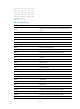
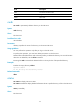
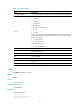
Field Description
SIZE Size of the transmission file.
RNFR Original name.
RNTO New name.
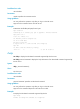
rmdir
Use rmdir to permanently delete a directory on the FTP server.
Syntax
rmdir directory
Views
FTP client view
Predefined user roles
network-admin
Parameters
directory: Specifies the name of a directory on the remote FTP server.
Usage guidelines
You can perform this operation only after you log in to the FTP server.
To perform this operation, you must have delete permissions on the FTP server.
Delete all files and subdirectories under a directory before you delete the directory. For more information
about how to delete files, see the delete command.
Executing the rmdir command also deletes the files in the recycle bin of the specified directory.
Examples
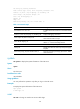
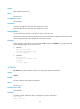
# Delete the empty directory subdir1.
ftp>rmdir subdir1
250 The directory was successfully removed
Related commands
delete
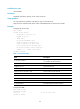
rstatus
Use rstatus to display FTP server status.
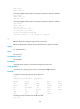
Use rstatus remotefile to display detailed information about a specific directory or file on the FTP server.
Syntax
rstatus [ remotefile ]
Views
FTP client view