
R21xx-HP FlexFabric 11900 Fundamentals Command Reference
112
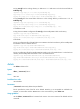
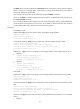
The delete file-url command (without the /unreserved option) moves the file to the recycle bin unless the
device is running out of storage space. If the device is running out of storage space, the command
permanently deletes the specified file.
A file moved to the recycle bin can be restored by using the undelete command.
Do not use the delete command to delete files from the recycle bin. To delete files from the recycle bin, use
the reset recycle-bin command.
If you successively delete two files that have the same name from the same directory, the file deleted later
overwrites the file moved earlier to the recycle bin. If you delete two files that have the same name but
reside in different directories, both files are retained in the recycle bin.
Examples
In standalone mode:
# Remove file 1.cfg from the root directory of the active MPU's storage medium.
<Sysname> delete 1.cfg
Delete flash:/1.cfg? [Y/N]:y
Deleting file flash:/1.cfg...Done.
# Permanently delete file 2.cfg from the root directory of the active MPU's storage medium.
<Sysname> delete /unreserved 2.cfg
The file cannot be restored. Delete flash:/2.cfg?[Y/N]:y
Deleting the file permanently will take a long time. Please wait...
Deleting file flash:/2.cfg...Done.
# Remove the 1.cfg file from the root directory of the storage medium on the standby MPU (in slot 5):
• Method 1
<Sysname> delete slot5#flash:/1.cfg
Delete slot5#flash:/1.cfg?[Y/N]:y
Deleting file slot5#flash:/1.cfg...Done.
• Method 2
<Sysname> cd slot5#flash:/
<Sysname> delete 1.cfg
Delete slot5#flash:/1.cfg?[Y/N]:y
Deleting file slot5#flash:/1.cfg...Done.
In IRF mode:
# Remove the 1.cfg file from the root directory of the storage medium on the IRF fabric's active MPU.
<Sysname> delete 1.cfg
Delete flash:/1.cfg?[Y/N]:y
Deleting file flash:/1.cfg...Done.
# Permanently delete file 2.cfg from the root directory of the storage medium on the IRF fabric's active
MPU.
<Sysname> delete /unreserved 2.cfg
The file cannot be restored. Delete flash:/2.cfg?[Y/N]:y
Deleting the file permanently will take a long time. Please wait...
Deleting file flash:/2.cfg...Done.
# Remove the 1.cfg file from the Flash root directory of the standby MPU that resides in slot 5 of member
device 1:
• Method 1