
R21xx-HP FlexFabric 11900 Fundamentals Command Reference

114
...
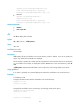
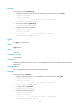
# Display information about all files and folders in the storage medium of the standby MPU (in slot 5).
<Sysname> cd slot5#flash:/
<Sysname> dir /all
Directory of slot5#flash:/
...
In IRF mode:
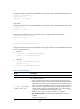
# Display information about all files and folders in the storage medium of the IRF fabric's active MPU.
<Sysname> dir /all
Directory of flash:/
...
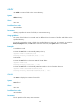
# Display files and folders in the root directory of every storage medium in the IRF fabric.
<Sysname> dir /all-filesystems
Directory of flash:/
...
Directory of chassis1#slot4#flash:/
...
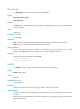
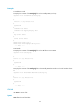
# Display information about all files and folders in the storage medium of the standby MPU that resides
in slot 5 of member device 1:
• Method 1
<Sysname> dir /all chassis1#slot5#flash:/
Directory of chassis1#slot5#flash:/
...
• Method 2
<Sysname> cd chassis1#slot5#flash:/
<Sysname> dir /all
Directory of chassis1#slot5#flash:/
...
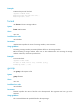
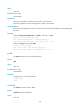
Table 15 Command output
Field Descri
p
tion
Directory of Current directory.
0 -rwh 3144 Apr 26
2008 13:45:28 xx.xx
File or folder information:
• 0—File or folder number, which is automatically allocated by the system.
• -rwh—Attributes of the file or folder. The first character is the folder indicator
(d for folder and – for file). The second character indicates whether the file or
folder is readable (r for readable). The third character indicates whether the
file or directory is writable (w for writable). The fourth character indicates
whether the file or directory is hidden (h for hidden, - for visible). Modifying,
renaming, or deleting hidden files might affect functions.
• 314 4—File size in bytes. For a folder, a hyphen (-) is displayed.
• Apr 26 2008 13:45:28—Last date and time when the file or folder was
modified.
• xx.xx—File or folder name.