
R21xx-HP FlexFabric 11900 Fundamentals Command Reference
115
file prompt
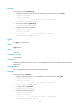
Use file prompt to set the operation mode for files and folders.
Syntax
file prompt { alert | quiet }
undo file prompt
Default
The alert mode is activated and the system prompts for confirmation when you perform a destructive file
or folder operation.
Views
System view
Predefined user roles
network-admin
Parameters
alert: Prompts for confirmation when a destructive file or folder operation is being performed.
quiet: Gives no confirmation prompt for file or folder operations.
Usage guidelines
In quiet mode, the system does not prompt for confirmation when a user performs a file or folder
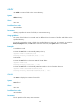
operation. The alert mode provides an opportunity to cancel a disruptive operation.
Examples
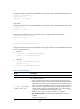
# Set the file and folder operation mode to alert.
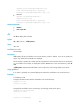
<Sysname> system-view
[Sysname] file prompt alert
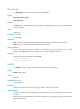
fixdisk
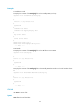
Use fixdisk to check a storage medium for damage and repair any damage.
Syntax
fixdisk medium-name
Views
User view
Predefined user roles
network-admin
Parameters
medium-name: Specifies the name of a storage medium name, case insensitive.
Usage guidelines
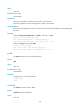
Use this command to fix a storage medium when the medium becomes unavailable or cannot operate
correctly.
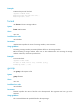
Before you repair a storage medium, make sure no other users are accessing the medium. Otherwise, the
repair operation fails.