
R21xx-HP FlexFabric 11900 Fundamentals Command Reference

125
Syntax
configuration encrypt { private-key | public-key }
undo configuration encrypt
Default
Configuration encryption is disabled. The running configuration is saved to a configuration file without
encryption.
Views
System view
Predefined user roles
network-admin
Parameters
private-key: Encrypts configuration with a private key. Only the MPU where the configuration file is
encrypted can decrypt the file.
public-key: Encrypts configuration with a public key. Any HP device running the same software version
as the encrypting device can decrypt the encrypted configuration file.
Usage guidelines
Configuration encryption enables the device to automatically encrypt a configuration file when saving
the running configuration to the file.
Do not move or copy a private-key-encrypted configuration file between MPUs in the IRF fabric. These
actions can cause a decryption failure because MPUs use different private keys.
If the configuration encryption function is enabled, you cannot convert the operating mode between
standalone and IRF. Before converting the operating mode, you must first disable the configuration
encryption function.
Examples
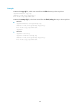
# Enable the public-key method for configuration encryption.
<Sysname> system-view
[Sysname] configuration encrypt public-key
display current-configuration
Use display current-configuration to display the running configuration.
Syntax
display current-configuration [ configuration [ module-name ] | interface [ interface-type
[ interface-number ] ] ]
Views
Any view
Predefined user roles
network-admin
network-operator