
R21xx-HP FlexFabric 11900 Fundamentals Command Reference

126
Parameters
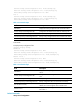
configuration [ module-name ]: Displays feature configuration. The module-name argument specifies a
feature module. If no feature module is specified, this command displays all feature settings you have
made. Available feature modules depend on your configuration. For example:
• isis: Displays the IS-IS configuration.
• isp: Displays the ISP configuration.
• radius-template: Displays RADIUS schemes.
• system: Displays the system configuration.
• user-interface: Displays the user interface configuration.
interface [ interface-type [ interface-number ] ]: Displays interface configuration, where the interface-type
argument represents the interface type and the interface-number argument represents the interface
number.
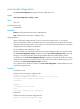
Usage guidelines
Use this command to verify the running configuration you have made.
Typically, this command does not display parameters that are set to their default settings.
If the system has automatically changed the setting you have made for a parameter, for example, due to
a system restriction, this command displays the effective setting rather than the configured one.
Examples
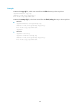
# Display local user configuration.
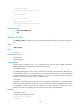
<Sysname> display current-configuration configuration local-user
#
local-user 123 class manage
password hash $h$6$S7Z7s7yl4Rn6v68k$0Gti4V6Mk7cH2MpHJhHmfhiEAZWU9DmZKhxftcCNRUp
PA2rtuDP+x/rsylegDS2xzI8blHidk74Q/FwABkgFEQ==
service-type ftp
authorization-attribute work-directory flash:/
authorization-attribute user-role network-operator
authorization-attribute user-role level-15
authorization-attribute user-role 15
# Display Ethernet interface configuration.
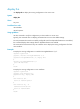
<Sysname> display current-configuration interface ethernet
interface Ten-GigabitEthernet1/0/1
port link-type hybrid
port hybrid vlan 20 to 24 tagged
port hybrid vlan 1 25 to 30 untagged
port link-aggregation group 1
#
interface Ten-GigabitEthernet1/0/2
#
interface Ten-GigabitEthernet1/0/3
#
---- More ----