
R21xx-HP FlexFabric 11900 Fundamentals Command Reference

127
display default-configuration
Use display default-configuration to display the factory defaults.
Syntax
display default-configuration
Views
Any view
Predefined user roles
network-admin
network-operator
Usage guidelines
Factory defaults are contained in the default configuration file. They are product-specific default settings
that are different from initial settings. These default settings make sure the device can start up and run
correctly when it has no configuration file or the configuration file is corrupted.
Examples
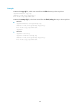
# Display the factory defaults.
<Sysname> display default-configuration
display saved-configuration
Use display saved-configuration to display the configuration saved to the main next-startup configuration
file.
Syntax
display saved-configuration
Views
Any view
Predefined user roles
network-admin
network-operator
Usage guidelines
Use this command to verify that important settings have been saved to the main next-startup
configuration file.
If no next-startup configuration file has been specified, or the specified next-startup configuration does
not exist, this command displays nothing.
Examples
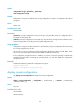
# Display the main next-startup configuration file.
<Sysname> display saved-configuration
version 7.1.035, Release 2105
#
sysname HP
#