
R21xx-HP FlexFabric 11900 Fundamentals Command Reference
6
Views
Any view
Predefined user roles
network-admin
network-operator
Examples
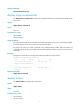
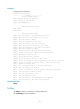
# Display command keyword alias information.
<Sysname> display command-alias
Command alias is enabled
Index Alias Command key
1 ping1 ping
2 ssh1 ssh
Related commands
• command-alias enable
• command-alias mapping
display history-command
Use display history-command to display all commands that are saved in the command history buffer for
your current CLI session.
Syntax
display history-command
Views
Any view
Predefined user roles
network-admin
network-operator
Usage guidelines
The system automatically saves commands you have successfully executed to the command history buffer
for your current CLI session. You can view them and execute them again.
By default, the system can save up to 10 commands in the buffer. You can use the history-command
max-size command to change the buffer size. When the number of commands in the buffer reaches the
limit, the earliest commands will be deleted to make room for the newly executed commands. If you log
out, the system automatically clears the buffer.
Examples
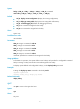
# Display all commands saved in the command history buffer for your current CLI session.
<Sysname> display history-command
system-view
vlan 2
quit