
R21xx-HP FlexFabric 11900 Fundamentals Command Reference


162
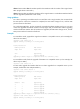
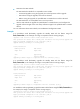
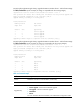
# In IRF mode (single-MPU single-chassis), upgrade the MPU on member device 1 with the feature image
file
flash:/feature.bin. (In this example, the image is compatible with the running images.)
<Sysname>issu load file feature flash:/feature.bin chassis 1 slot 4
This operation will delete the rollback point information for the previous upgrade and
maybe get unsaved configuration lost. Continue? [Y/N]:Y
Upgrade summary according to following table:
flash:/feature.bin
Running Version New Version
Alpha 7122 Alpha 7123
Chassis Slot Upgrade Way
1 0 Service Upgrade
1 2 Service Upgrade
1 3 Service Upgrade
1 4 Service Upgrade
Upgrading software images to compatible versions. Continue? [Y/N]:y
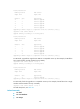
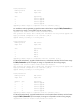
# In IRF mode (single-MPU single-chassis), upgrade the MPU on member device 1 with the feature image
file
flash:/feature.bin. (In this example, the image is incompatible with the running images.)
<Sysname>issu load file feature flash:/feature.bin chassis 1 slot 4
This operation will delete the rollback point information for the previous upgrade and
maybe get unsaved configuration lost. Continue? [Y/N]:Y
Upgrade summary according to following table:
flash:/feature.bin
Running Version New Version
Alpha 7122 Alpha 7123
Chassis Slot Upgrade Way
1 0 Reboot
1 2 Reboot
1 3 Reboot
1 4 Reboot
Upgrading software images to incompatible versions. Continue? [Y/N]:y
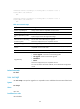
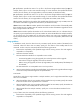
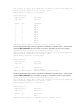
Table 21 Command output
Field Descri
p
tion
Chassis Member ID of the device in the IRF fabric. (In IRF mode.)
Slot Slot number of the card. (In IRF mode.)
Upgrade Way
ISSU method:
• Service Upgrade—Service-level incremental upgrade.
• File Upgrade—File-level incremental upgrade.
• ISSU Reboot.
• Reboot.
For more information about ISSU methods, see Fundamentals Configuration Guide.