
R21xx-HP FlexFabric 11900 Fundamentals Command Reference
163
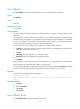
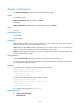
issu rollback
Use issu rollback to cancel the ISSU and roll back to the original software configuration.
Syntax
issu rollback
Views
User view
Predefined user roles
network-admin
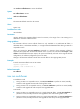
Usage guidelines
The device supports automatic rollback and manual rollback. You trigger a manual rollback with this
command.
You can perform a manual rollback while an ISSU is in one of the following states: Loading, Loaded,
Switching (during an upgrade to a compatible version), Switchover (during an upgrade to a compatible
version), or Accepted. If you perform a manual rollback while the ISSU is in Loading state, the ISSU
process ends without changing the original software configuration.
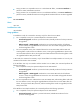
You can perform a manual rollback while an ISSU is in one of the following states:
• Loading—If you perform a manual rollback while the ISSU is in Loading state, the ISSU process
quits and no rollback operation occurs.
• Loaded.
• Switching (during an upgrade to a compatible version).
• Switchover (during an upgrade to a compatible version).
• Accepted.
When an ISSU to an incompatible version is in Switching state, you cannot perform a manual rollback.
When the ISSU is in Committing state, rollback is not supported.
For a multichassis IRF fabric, a rollback performed after you execute the issu run switchover command
cancels only the upgrades. The master/subordinate switchover operation is not canceled.
Examples
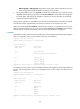
# Roll back to the original software configuration.
<Sysname> issu rollback
This command will quit the ISSU process and roll back to the previous version. Continue?
[Y/N]:y
Related commands
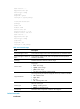
• issu load
• issu run switchover
• issu accept
• issu commit
issu rollback-timer
Use issu rollback-timer to set the automatic-rollback timer.