
R21xx-HP FlexFabric 11900 Fundamentals Command Reference
166
{ Reboot upgrade or ISSU upgrade—Reboots the current master with the old software version to
cause the upgraded subordinate member to become the new master.
• For an incompatible version—The issu load command splits the IRF fabric into two fabrics, with the
upgraded members forming a new fabric. The issu run switchover command reboots and upgrades
the old IRF fabric. After startup, the old fabric's members join the new IRF fabric as subordinate
members and the ISSU process ends.
During a reboot upgrade to a compatible version, the LPUs and switching fabric cards reboot to load the
new software from the upgraded MPU, which results in transient service outage on the cards.
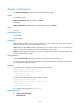
When you execute the issu run switchover command during an ISSU to a compatible version, the system
starts the automatic-rollback timer. If you do not execute the issu accept or issu commit command before
the timer expires, the system automatically rolls back to the original software configuration.
Examples
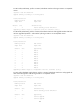
# In standalone mode, perform an active/standby switchover and upgrade the LPUs and switching fabric
cards to a compatible version. (In this example, the device has two MPUs.)
<Sysname> issu run switchover
Upgrade summary according to following table:
flash:/feature.bin
Running Version New Version
Alpha 7122 Alpha 7123
Slot Switchover Way
4 Active standby process switchover
Slot Upgrade Way
0 Service Upgrade
2 Service Upgrade
3 Service Upgrade
Upgrading software images to compatible versions. Continue? [Y/N]:
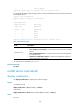
# In standalone mode, perform an active/standby switchover and upgrade the current active MPU and
the LPUs and switching fabric cards to an incompatible version. (In this example, the device has two
MPUs.)
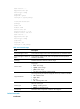
<Sysname> issu run switchover
Upgrade summary according to following table:
flash:/feature.bin
Running Version New Version
Alpha 7122 Alpha 7123
Slot Upgrade Way
0 Reboot
2 Reboot
3 Reboot
4 Reboot
Upgrading software images to incompatible versions. Continue? [Y/N]: