
R21xx-HP FlexFabric 11900 Fundamentals Command Reference

177
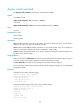
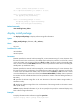
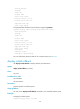
Action:install activate flash:/ssh-feature.bin on chassis 1 slot 5
The output shows that the device is executing the install activate flash:/ssh-feature.bin chassis 1 slot 5
command.
display install log
Use display install log to display ISSU logs.
Syntax
display install log [ log-id ] [ verbose ]
Views
Any view
Predefined user roles
network-admin
network-operator
Parameters
log-id: Specifies a log by its ID. If you do not specify this argument, all software upgrade-related logs are
displayed.
verbose: Displays detailed ISSU log information. If you do not specify this keyword, the command
displays brief ISSU log information.
Usage guidelines
The device tracks every ISSU operation by generating a log for it, whether the operation is successful or
not. A log is uniquely identified by an ID.
The device supports up to 50 ISSU logs. When the number of logs reaches this limit, the oldest log will
be replaced by a newly generated log.
Examples
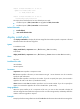
# Display all ISSU logs.
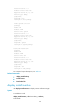
<Sysname> display install log
Install job 1 started by user root at 04/28/2001 08:39:29.
Job 1 completed successfully at 04/28/2001 08:39:29.
Install job 1 started by user root at 04/28/2001 08:39:29.
Install activate flash:/ssh.bin on slot 5
Job 1 completed successfully at 04/28/2001 08:39:30.
-----------------------------------------------------------
Install job 2 started by user root at 04/28/2001 08:40:29.
Job 2 completed successfully at 04/28/2001 08:40:29.
Install job 2 started by user root at 04/28/2001 08:40:29.
Install activate flash:/route.bin on slot 5
Job 2 completed successfully at 04/28/2001 08:40:30.
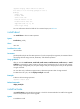
# Displays detailed information about ISSU log 1.
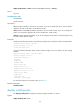
<Sysname> display install log 1 verbose
Install job 1 started by user root at 04/28/2001 08:39:29.
Job 1 completed successfully at 04/28/2001 08:39:29.
Install job 1 started by user root at 04/28/2001 08:39:29.