
R21xx-HP FlexFabric 11900 Fundamentals Command Reference

180
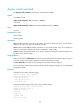
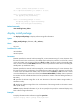
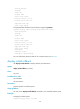
Install rollback information 1 on slot 5:
Update from flash:/route-1.bin
to flash:/route-2.bin.
Install rollback information 2 on slot 5:
Deactivating flash:/route-2.bin
The output shows that the device has two rollback points in total:
• At rollback point 1, flash:/route-1.bin was upgraded to flash:/route-2.bin.
• At rollback point 1, flash:/route-2.bin was deactivated.
Related commands
• install rollback
• reset install rollback oldest
display install which
Use display install which to display all software image files that include a specific component or file and
information about the software image files.
Syntax
In standalone mode:
display install which { component name | file filename } [ slot slot-number ]
In IRF mode:
display install which { component name | file filename } [ chassis chassis-number slot slot-number ]
Views
Any view
Predefined user roles
network-admin
network-operator
Parameters
component name: Specifies a component name.
file filename: Specifies a file name, a case-insensitive string of 1 to 63 characters. You do not need to
specify the path information.
slot slot-number: Specifies a card by its slot number. If you do not specify this option, the command is
applied to all cards in the device. (In standalone mode.)
chassis chassis-number slot slot-number: Specifies a card on an IRF member. If you do not specify this
option, the command is applied to all cards in the IRF fabric. (In IRF mode.)
Usage guidelines
When the system notifies you of a component or file error, you can use this command to display all
software image files that include the component or file on certain storage media, and thereby determine
whether a software upgrade is required.
Examples
# Display all software image files that include file sshc.cli and information about the software image files.