
R21xx-HP FlexFabric 11900 Fundamentals Command Reference

186
medium-name: Specifies the name of the storage medium for saving the software images. To specify a
storage medium on the active MPU, enter its name directly, for example, flash. To specify a storage
medium on the standby MPU, prefix its name with the string slotn#, where n represents the number of the
slot holding the standby MPU, for example slot1#flash. (In standalone mode.)
medium-name: Specifies the name of the storage medium for saving the software images. To specify a
storage medium on the master's active MPU, enter its name directly, for example, flash. To specify a
storage medium on any other MPU, prefix its name with the chassism#slotn#, where m represents the
member ID of the subordinate device and m represents the number of the slot holding the MPU, for
example, chassis1#slot1#flash. (In IRF mode.)
Usage guidelines
A .ipe file contains a set of software images that can run together. By obtaining a .ipe file, you obtain all
the software images, without the requirement for considering the compatibility between the images.
The software images decompressed from the .ipe file will be saved to the root directory of the specified
medium.
To view which software images are included in a .ipe file, use the display install ipe-info command.
Examples
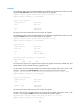
# Decompress .ipe file route.ipe to the Flash.
<Sysname> install add flash:/route.ipe flash:
install commit
Use install commit to confirm the software changes.
Syntax
install commit
Views
User view
Predefined user roles
network-admin
Usage guidelines
For an incremental upgrade, the install activate, install deactivate, and install rollback commands
change only the current software configuration. To make the changes survive a reboot, you must use the
install commit command to confirm the software changes.
For a reboot or ISSU reboot upgrade, the install activate command changes both the current software
configuration and the main startup software images. You do not need to use the install commit command
to confirm the software changes.
When you execute the install commit command, the system refreshes the main startup software image set
to use the currently active software images as the main startup software images for the next reboot.
The boot-loader file command can also change the main startup software image set. The differences
between these two commands are that the boot-loader file command can change the backup startup
software image set as well and can add inactive software images to the image sets.
For more information about main and backup startup software images and image sets, see Fundamental
Configuration Guide.