
R21xx-HP FlexFabric 11900 Fundamentals Command Reference
194
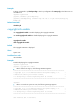
Use undo clock timezone to restore the default.
Syntax
clock timezone zone-name { add | minus } zone-offset
undo clock timezone
Default
The local time zone is the UTC time zone.
Views
System view
Predefined user roles
network-admin
Parameters
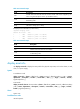
zone-name: Specifies a time zone by its name, a case-sensitive string of 1 to 32 characters.
add: Adds a specified offset to the UTC time.
minus: Decreases the UTC time by a specified offset.
zone-offset: Specifies an offset to the UTC time, in the format hh:mm:ss. The hh value is in the range of 0
to 23, the mm value is in the range of 0 to 59, and the ss value is in the range of 0 to 59. The leading
zero in a segment can be omitted. If the seconds segment is 0 (hh:mm:00), you can omit it. If both the
minutes and seconds segments are 0 (hh:00:00), you can omit both of the segments. For example, to
specify 08:00:00, you can enter 8.
Usage guidelines
The local time zone, together with the UTC time and daylight saving time, determines the system time.
You can use the display clock command to view the system time.
A correct system time setting is essential to network management and communication. Set the system time
correctly or use NTP to synchronize your device with a trusted time source before you run it on the
network.
Examples
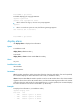
# Set the name of the local time zone to Z5, and add 5 hours to the UTC time.
<Sysname> system-view
[Sysname] clock timezone Z5 add 5
Related commands
• clock datetime
• clock summer-time
• display clock
clock summer-time
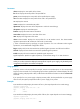
Use clock summer-time to configure the device to use daylight saving time during a specific period of
time.
Use undo clock summer-time to cancel the configuration.