
R21xx-HP FlexFabric 11900 Fundamentals Command Reference
196
If both the minutes and seconds segments are 0 (hh:00:00), you can omit both of the segments. For
example, to specify 08:00:00, you can enter 8.
Usage guidelines
The daylight saving time, together with the UTC time and local time zone, determines the system time.
You can use the display clock command to view the system time.
A correct system time setting is essential to network management and communication. Set the system time
correctly or use NTP to synchronize your device with a trusted time source before you run it on the
network.
Examples
# Set the system time ahead 1 hour for the period between 06:00:00 on 08/01 and 06:00:00 on
09/01.
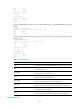
<Sysname> system-view
[Sysname] clock summer-time PDT 6 08/01 6 09/01 1
Related commands
display clock
command
Use command to assign a command to a job.
Use undo command to revoke a command.
Syntax
command id command
undo command id
Default
No command is assigned to a job.
Views
Job view
Predefined user roles
network-admin
Parameters
id: Specifies the command ID, in the range of 0 to 4294967295.
command: Specifies the command to be assigned to the job.
Usage guidelines
A job can have multiple commands. Commands in a job are uniquely identified by their IDs. A command
with a smaller ID is executed earlier.
If a command uses the ID of an existing command, the existing command is replaced.
The system does not check the validity of the command argument. You must make sure the command is
supported by the device, is input in the correct format, and uses valid values. Otherwise, the command
cannot be executed automatically.