
R21xx-HP FlexFabric 11900 Fundamentals Command Reference

199
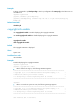
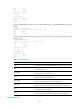
Table 25 Command output
Field Descri
p
tion
Slot
Number of the slot where the card with an alarm resides. If the value is a hyphen (-), the
alarm was generated by the chassis. (In standalone mode.)
Level
Alarm severity. Possible values include ERROR, WARNING, NOTICE, and INFO, in
descending order.
Info Detailed alarm information.
faulty The card is starting up or is faulty.
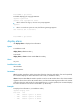
# Display alarm information. (In IRF mode.)
<Sysname> display alarm
Chassis Slot Level Info
1 - INFO Chassis 1 power 1 is absent.
1 - INFO Chassis 1 power 2 is absent.
1 - INFO Chassis 1 power 3 is absent.
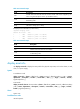
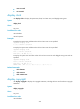
Table 26 Command output
Field Descri
p
tion
Chassis ID of the IRF member device with an alarm.
Slot Number of the slot where the card resides.
Level
Alarm severity. Possible values include ERROR, WARNING, NOTICE, and INFO,
in descending order.
Info Detailed alarm information.
The board in slot n is faulty. The card in slot n is starting up or is faulty.
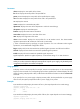
display asset-info
Use display asset-info to display the asset profile of a physical component, such as the chassis, a card,
a fan, or a power supply.
Syntax
In standalone mode:
display asset-info { chassis | fan fan-id | power power-id | slot slot-number } [ csn | custom|
department | description | location | service-date | state ] [ | { begin | exclude | include }
regular-expression ] ]
In IRF mode:
display asset-info chassis chassis-number { chassis | fan fan-id | power power-id | slot slot-number }
[ csn | custom| department | description | location | service-date | state ] [ | { begin | exclude |
include } regular-expression ] ]
Views
System view
Predefined user roles
network-operator