
R21xx-HP FlexFabric 11900 Fundamentals Command Reference

221
Total number of notifications sent: 0
display power
Use display power to display power supply information.
Syntax
In standalone mode:
display power [ power-id ]
In IRF mode:
display power [ chassis chassis-number [ power-id ] ]
Views
Any view
Predefined user roles
network-admin
network-operator
Parameters
chassis chassis-number: Specifies an IRF member device by its chassis number. If no IRF member device
is specified, this command displays power supply information on all IRF member devices. (In IRF mode.)
power-id: Specifies a power supply by its ID. If no power supply is specified, this command displays
information about all power supplies.
Examples
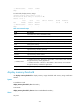
# Display power supply information. (The command output depends on the device model and is not
shown here.)
<Sysname> display power
Power 0 State: Normal
Power 1 State: Absent
Power 2 State: Absent
Power 3 State: Absent
display scheduler job
Use display scheduler job to display job configuration information.
Syntax
display scheduler job [ job-name ]
Views
Any view
Predefined user roles
network-admin
network-operator