
R21xx-HP FlexFabric 11900 Fundamentals Command Reference
15
Parameters
command: Specifies the command to be automatically executed.
Usage guidelines
The device automatically executes the specified command when a user logs in to the user interface, and
closes the user connection after the command is executed. If the command triggers another task, the
device does not close the user connection until the task is completed.
Typically, you configure the auto-execute command telnet X.X.X.X command on the device so the device
redirects a Telnet user to the host at X.X.X.X. In this case, the connection to the current device is closed
when the user terminates the Telnet connection to X.X.X.X.
This command is not supported on the AUX user interface.
Examples
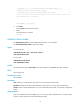
# Configure the device to automatically Telnet to 192.168.1.41 after a user logs in to interface VTY 0.
<Sysname> system-view
[Sysname] user-interface vty 0
[Sysname-ui-vty0] user-role network-admin
[Sysname-ui-vty0] auto-execute command telnet 192.168.1.41
% This action will lead to configuration failure through ui-vty0. Are you sure?
[Y/N]:y
[Sysname-ui-vty0]
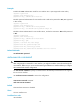
# To verify the configuration, Telnet to 192.168.1.40.
The device automatically Telnets to 192.168.1.41, and the following output is displayed:
C:\> telnet 192.168.1.40
******************************************************************************
* Copyright (c) 2010-2013 Hewlett-Packard Development Company, L.P. *
* Without the owner's prior written consent, *
* no decompiling or reverse-engineering shall be allowed. *
******************************************************************************
<Sysname>
Trying 192.168.1.41 ...
Press CTRL+K to abort
Connected to 192.168.1.41 ...
******************************************************************************
* Copyright (c) 2010-2013 Hewlett-Packard Development Company, L.P. *
* Without the owner's prior written consent, *
* no decompiling or reverse-engineering shall be allowed. *
******************************************************************************
<Sysname>
This operation is the same as directly logging in to the device at 192.168.1.41 through Telnet. When you
break the Telnet connection to 192.168.1.41, the Telnet connection to 192.168.1.40 is broken at the same
time.
command accounting
Use command accounting to enable command accounting.