
R21xx-HP FlexFabric 11900 Fundamentals Command Reference
236
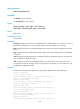
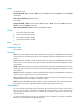
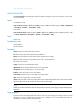
flexible: Performs load sharing by packet type (for example, Layer 2, IPv4, IPv6, MPLS).
slot slot-number: Specifies a card by its slot number. (In standalone mode.)
chassis chassis-number slot slot-number: Specifies a card on an IRF member device. (In IRF mode.)
Usage guidelines
If you execute this command multiple times, the most recent configuration takes effect.
If the device does not support the specified load sharing mode, an error message is displayed.
Examples
# Configure the card in slot 2 to perform load sharing by both source IP address and destination IP
address.
<Sysname> system-view
[Sysname] load-sharing mode source-ip destination-ip slot 2
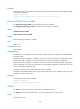
monitor handshake-timeout disable-port
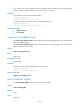
Use monitor handshake-timeout disable-port to enable the port-down function globally.
Use undo monitor handshake-timeout disable-port to disable the function globally.
Default
The port-down function is enabled.
Syntax
monitor handshake-timeout disable-port
undo monitor handshake-timeout disable-port
Views
System view
Predefined user roles
network-admin
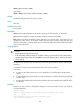
Usage guidelines
The port-down function shuts down all network ports immediately after all MPUs are unplugged or reboot
abnormally. This function does not work as long as the device has an active MPU.
Examples
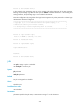
# Enable the port-down function globally.
<Sysname> system-view
System View: return to User View with Ctrl+Z.
[Sysname] monitor handshake-timeout disable-port
Set successful!
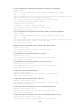
memory-threshold
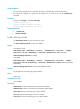
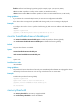
Use memory-threshold to set memory usage thresholds.
Use undo memory-threshold to restore the defaults.