
R21xx-HP FlexFabric 11900 Fundamentals Command Reference
242
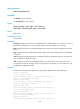
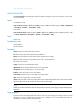
If you specify a fan or power supply to clear its asset profile, but the specified fan or power supply does
not exist, the system prompts that the fan or power supply is not present.
Examples
# In standalone mode, clear the asset ID of fan 0.
<Sysname> system-view
[Sysname] reset asset-info fan 0 csn
# In IRF mode, clear the asset ID of fan 0 on IRF member device 1.
<Sysname> system-view
[Sysname] reset asset-info chassis 1 fan 0 csn
Related commands
• display asset-info
• set asset-info
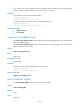
reset version-update-record
Use reset version-update-record to clear the startup software image upgrade history records of the active
MPU. (In standalone mode.)
Use reset version-update-record to clear the startup software image upgrade history records of the
global active MPU. (In IRF mode.)
Syntax
reset version-update-record
Views
System view
Predefined user roles
network-admin
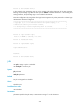
Examples
# Clear the startup software image upgrade history records.
<Sysname> system-view
[Sysname] reset version-update-record
Related commands
display version-update-record
reset scheduler logfile
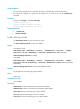
Use reset scheduler logfile to clear job execution log information.
Syntax
reset scheduler logfile
Default
None
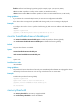
Views
User view