
R21xx-HP FlexFabric 11900 Fundamentals Command Reference
249
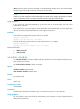
this port will be recovered 8 seconds later. If the detection timer is set to 30 seconds and you change it
to 2 seconds ten seconds after the port is shut down, this port is recovered immediately.
Examples
# Set the detection timer to 100 seconds.
<Sysname> system-view
[Sysname] shutdown-interval 100
switch-mode jiggle
Use switch-mode jiggle enable to enable the forwarding service buttons on switching fabric cards.
Use switch-mode jiggle disable to disable the forwarding service buttons on switching fabric cards.
Syntax
switch-mode jiggle { disable | enable }
Default
The forwarding service buttons for switching fabric cards are enabled.
Views
System view
Predefined user roles
network-admin
network-operator
Parameters
enable: Enables the forwarding service buttons.
disable: Disables the forwarding service buttons.
Usage guidelines
Some switching fabric cards for the device have a forwarding service button. Before removing such a
card from the device, you can press the card's forwarding service button so other switching fabric cards
take over the forwarding service.
Examples
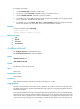
# Disable the forwarding service buttons.
<Sysname> system-view
[Sysname] switch-mode jiggle disable
Set successful!
sysname
Use sysname to set the device name.
Use undo sysname to restore the default.
Syntax
sysname sysname
undo sysname