
R21xx-HP FlexFabric 11900 Fundamentals Command Reference

19
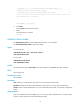
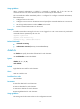
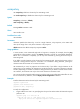
number2: Specifies the relative number of a user interface, in the range of 0 to 1 for an AUX interface or
0 to 15 for a VTY user interface.
summary: Displays summary information about user interfaces. If you do not specify this keyword, the
detailed information is displayed.
Examples
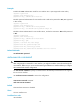
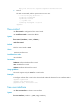
# Display information about user interface 0.
<Sysname> display user-interface 0
Idx Type Tx/Rx Modem Auth Int
0 AUX 0 9600 - N -
+ : User interface is active.
F : User interface is active and in async mode.
Idx : Absolute index of user-interface.
Type : Type and relative index of user-interface.
Auth : Login authentication mode.
Int : Physical port of the user interface.
A : Authentication use AAA.
N : No authentication is required.
P : Password authentication.
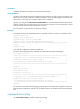
Table 1 Command output
Field Description
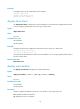
Modem
Whether the modem allows calling in or out. By default, this attribute is not configured and a hyphen
(-) is displayed.
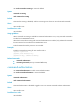
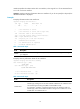
# Display summary information about all user interfaces.
<Sysname> display user-interface summary
User interface type : [AUX]
0:XUXX XXXX
User interface type : [VTY]
8:UUXX XXXX XXXX XXXX
3 user interfaces used. (U)
21 user interfaces not used. (X)
Table 2 Command output
Fields Description
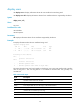
number:status
The number indicates the absolute number of the first user interface of the user
interface type, starting from 0. The status indicates whether the user interfaces of the
user interface type are being used (X for unused and U for used).
For example, if "2:UXXX X" is displayed, there are five user interfaces of the user
interface type, which use the absolute numbers 2 through 6. User interface 2 is in use,
and the other user interfaces are not.