
R21xx-HP FlexFabric 11900 Fundamentals Command Reference



23
Views
User view
Predefined user roles
network-admin
Parameters
number1: Specifies the absolute number of a user interface, in the range of 0 to 23.
aux: Specifies the AUX user interface.
vty: Specifies the VTY user interface.
number2: Specifies the relative number of a user interface, in the range of 0 to 1 for an AUX interface or
0 to 15 for a VTY user interface.
Usage guidelines
This command does not release the connection you are using.
Examples
# Release user interface VTY 1:
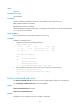
1. Display which users are operating the device.
<Sysname> display users
Idx UI Idle Time Pid Type
10 VTY 0 00:10:49 Jun 11 11:27:32 320 TEL
+ 11 VTY 1 00:00:00 Jun 11 11:39:40 334 TEL
Following are more details.
VTY 0 :
Location: 192.168.1.12
VTY 1 :
Location: 192.168.1.26
+ : Current operation user.
F : Current operation user works in async mode.
2. If the operations of the user on VTY 1 impact your operations, log out the user.
<Sysname> free user-interface vty 1
Are you sure to free user-interface vty1? [Y/N]:y
[OK]
history-command max-size
Use history-command max-size to set the size of the command history buffer for a user interface.
Use undo history-command max-size to restore the default.
Syntax
history-command max-size size-value
undo history-command max-size
Default
The buffer of a user interface saves up to 10 history commands.