
R21xx-HP FlexFabric 11900 Fundamentals Command Reference



24
Views
User interface view
Predefined user roles
network-admin
Parameters
size-value: Specifies the maximum number of history commands the buffer can store, in the range of 0 to
256.
Usage guidelines
Each user interface uses a separate command history buffer to save commands successfully executed by
its user. The size of the buffer determines how many history commands the buffer can store.
To view stored history commands on your user interface, press the up arrow key or down arrow key or
execute the display history-command command.
Terminating a CLI session clears the commands in the history buffer.
Examples
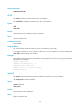
# Set the size of the command history buffer to 20 for user interface VTY 0.
<Sysname> system-view
[Sysname] user-interface vty 0
[Sysname-ui-vty0] history-command max-size 20
idle-timeout
Use idle-timeout to set the session idle-timeout.
Use undo idle-timeout to restore the default.
Syntax
idle-timeout minutes [ seconds ]
undo idle-timeout
Default
The idle-timeout is 10 minutes.
Views
User interface view
Predefined user roles
network-admin
Parameters
minutes: Specifies the number of minutes for the idle-timeout, in the range of 0 to 35791. The default is 10
minutes.
seconds: Specifies the number of seconds for the idle-timeout, in the range of 0 to 59. The default is 0
seconds.
Usage guidelines
The system automatically terminates the user connection on the user interface if there is no information
interaction between the device and the user within the idle-timeout.