
R21xx-HP FlexFabric 11900 Fundamentals Command Reference



25
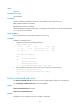
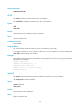
Setting the idle-timeout to 0 disables the idle-timeout function.
Examples
# Set the idle-timeout to 1 minute and 30 seconds for user interface VTY 0.
<Sysname> system-view
[Sysname] user-interface vty 0
[Sysname-ui-vty0] idle-timeout 1 30
lock
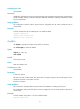
Use lock to lock the current user interface. This method prevents unauthorized users from using the user
interface.
Syntax
lock
Default
By default, the system does not lock any user interface.
Views
User view
Predefined user roles
network-admin
Usage guidelines
This command is not supported in FIPS mode.
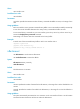
After executing the lock command, you must enter the password for unlocking the user line and confirm
the password by entering it again.
To unlock the user interface, press Enter and enter the correct password.
Examples
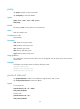
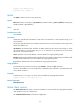
# Lock the current user interface and then unlock it.
<Sysname> lock
Please input password<1 to 16> to lock current user terminal interface:
Password:
Again:
locked !
// The user interface is locked. To unlock it, press Enter and enter the password:
Password:
<Sysname>