
R21xx-HP FlexFabric 11900 Fundamentals Command Reference



32
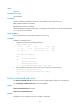
[Sysname] user-interface aux 0
[Sysname-ui-aux0] stopbits 1
telnet
Use telnet to Telnet to a host in an IPv4 network.
Syntax
telnet remote-host [ service-port ] [ vpn-instance vpn-instance-name ] [ source { interface interface-type
interface-number | ip ip-address } ]
Views
User view
Predefined user roles
network-admin
Parameters
remote-host: Specifies the IPv4 address or host name of a remote host, a case-insensitive string of 1 to
253 characters.
service-port: Specifies the TCP port number for the Telnet service on the remote host, in the range of 0 to
65535. The default is 23.
vpn-instance vpn-instance-name: Specifies the MPLS L3VPN that the remote host belongs to, where
vpn-instance-name is a case-sensitive string of 1 to 31 characters. If the remote host is on the public
network, do not specify this option.
source: Specifies a source IPv4 address or source interface for outgoing Telnet packets.
interface interface-type interface-number: Specifies the source interface. The primary IPv4 address of the
interface will be used as the source IPv4 address for outgoing Telnet packets.
ip ip-address: Specifies the source IPv4 address for outgoing Telnet packets.
Usage guidelines
To terminate the current Telnet connection, press Ctrl+K or execute the quit command.
The source IPv4 address or source interface that is specified by this command is only applicable to the
current Telnet connection.
Examples
# Telnet to host 1.1.1.2, using 1.1.1.1 as the source IP address for outgoing Telnet packets.
<Sysname> telnet 1.1.1.2 source ip 1.1.1.1
Related commands
telnet client source
telnet client source
Use telnet client source to specify a source IPv4 address or source interface for outgoing Telnet packets
when the device serves as a Telnet client.
Use undo telnet client source to remove the configuration.