
R21xx-HP FlexFabric 11900 Fundamentals Command Reference
33
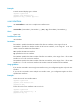
Syntax
telnet client source { interface interface-type interface-number | ip ip-address }
undo telnet client source
Default
No source IPv4 address or source interface is specified for outgoing Telnet packets. The source IPv4
address is the primary IPv4 address of the outbound interface.
Views
System view
Predefined user roles
network-admin
Parameters
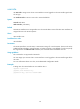
interface interface-type interface-number: Specifies a source interface. The primary IPv4 address of the
interface will be used as the source IPv4 address for outgoing Telnet packets.
ip ip-address: Specifies a source IPv4 address.
Usage guidelines
The source IPv4 address or source interface that is specified by this command applies to all Telnet
connections. However, if a user specifies a source IPv4 address or source interface when executing the
telnet command, the setting specified by the user takes effect.
Examples
# Set the source IPv4 address for outgoing Telnet packets to 1.1.1.1 when the device serves as a Telnet
client.
<Sysname> system-view
[Sysname] telnet client source ip 1.1.1.1
Related commands
display telnet client configuration
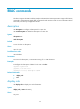
telnet ipv6
Use telnet ipv6 to Telnet to a host in an IPv6 network.
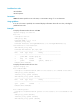
Syntax
telnet ipv6 remote-host [ -i interface-type interface-number ] [ port-number ] [ vpn-instance
vpn-instance-name ]
Views
User view
Predefined user roles
network-admin
Parameters
remote-host: Specifies the IP address or host name of a remote host, a case-insensitive string of 1 to 253
characters.