
R21xx-HP FlexFabric 11900 Fundamentals Command Reference
34
-i interface-type interface-number: Specifies the outbound interface for sending Telnet packets. This
option is required when the destination address is a link-local address.
port-number: Specifies the TCP port number for the Telnet service on the remote host, in the range of 0 to
65535. The default is 23.
vpn-instance vpn-instance-name: Specifies the MPLS L3VPN that the remote host belongs to, where
vpn-instance-name is a case-sensitive string of 1 to 31 characters. If the remote host is on the public
network, do not specify this option.
Usage guidelines
To terminate the current Telnet connection, press Ctrl+K or execute the quit command.
Examples
# Telnet to the host at 5000::1.
<Sysname> telnet ipv6 5000::1
telnet server acl
Use telnet server acl to apply an ACL to filter IPv4 Telnet logins.
Use undo telnet server acl to restore the default.
Syntax
telnet server acl acl-number
undo telnet server acl
Default
No ACL is used to filter IPv4 Telnet logins.
Views
System view
Predefined user roles
network-admin
Parameters
acl-number: Specifies an ACL by its number:
• Basic ACL—2000 to 2999.
• Advanced ACL—3000 to 3999.
• Ethernet frame header ACL—4000 to 4999.
Usage guidelines
Only one ACL can be used to filter Telnet logins, and only users permitted by the ACL can Telnet to the
device.
This command does not take effect on existing Telnet connections.
You can specify an ACL that has not been created yet in this command. The command takes effect after
the ACL is created.
For more information about ACL, see ACL and QoS Configuration Guide.
Examples
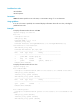
# Permit only the user at 1.1.1.1 to Telnet to the device.