
R21xx-HP FlexFabric 11900 Fundamentals Command Reference
36
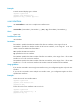
Use undo telnet server enable to disable the Telnet server function.
Syntax
telnet server enable
undo telnet server enable
Default
The Telnet server function is disabled.
Views
System view
Predefined user roles
network-admin
Usage guidelines
Administrators can Telnet to the device only when the Telnet server function is enabled.
Examples
# Enable the Telnet server function.
<Sysname> system-view
[Sysname] telnet server enable
terminal type
Use terminal type to specify the terminal display type.
Use undo terminal type to restore the default.
Syntax
terminal type { ansi | vt100 }
undo terminal type
Default
The terminal display type is ANSI.
Views
User interface view
Predefined user roles
network-admin
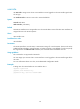
Parameters
ansi: Specifies the terminal display type ANSI.
vt100: Specifies the terminal display type VT100.
Usage guidelines
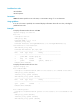
The device supports two terminal display types: ANSI and VT100. HP recommends you set the display
type to VT100 on both the device and the configuration terminal. If either side uses the ANSI type, a
display problem such as cursor positioning error might occur when a command line has more than 80
characters.