
R21xx-HP FlexFabric 11900 Fundamentals Command Reference

60
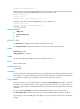
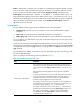
Rule Guidelines
Asterisk (*) is the wildcard.
An asterisk represents zero or multiple characters.
In a non-last segment, you can use an asterisk only at the end of the
segment.
In the last segment, you can use an asterisk in any position of the segment.
If the asterisk appears at the beginning, you cannot specify any printable
characters behind it.
For example, the "system ; *" command string represents all the
commands available in system view and all its subviews, and the
"debugging * event" command string represents all event debugging
commands available in user view.
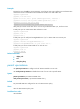
Keyword abbreviation is allowed.
You can specify a keyword by entering its first few characters. Any
command that starts with this character string matches the rule.
For example "rule 1 deny command dis mpls lsp protocol static asbr"
denies access to the commands display mpls lsp protocol static asbr and
display mpls lsp protocol static-cr asbr.
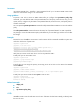
To control the access to a
command, you must specify the
command immediately after the
view that has the command.
To control access to a command, you must specify the command
immediately behind the view to which the command is assigned. The rules
that control command access for any subview do not apply to the
command.
For example, the "rule 1 deny command system ; interface * ; *"
command string disables access to any command that is assigned to
interface view, but you can still execute the acl number command in
interface view, because this command is assigned to system view rather
than interface view. To disable access to this command, use "rule 1 deny
command system ; acl *;".
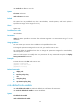
Do not include the vertical bar (|),
greater-than sign (>), or double
greater-than sign (>>) when you
specify display commands in a
user role command rule.
The system does not treat these redirect signs and the parameters that
follow them as part of command lines, but in user role command rules, they
are handled as part of command lines. As a result, no rule that includes
any of these signs can find a match.
For example, "rule 1 permit command display debugging > log" can
never find a match, because the system has a display debugging
command but not a display debugging > log command.
Examples
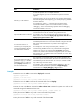
# Permit the user role role1 to execute the display acl command.
<Sysname> system-view
[Sysname] role name role1
[Sysname-role-role1] rule 1 permit command display acl
# Permit the user role role1 to execute all commands that start with display.
[Sysname-role-role1] rule 2 permit command display *
# Permit the user role role1 to execute the radius scheme aaa command in system view and use all
commands assigned to RADIUS scheme view.
[Sysname-role-role1] rule 3 permit command system ; radius scheme aaa
# Deny the access of role1 to any read or write command of any feature.
[Sysname-role-role1] rule 4 deny read write feature
# Deny the access of role1 to any read command of the feature aaa.