
R21xx-HP FlexFabric 11900 Fundamentals Command Reference


64
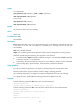
Related commands
super authentication-mode
vlan policy deny
Use vlan policy deny to enter the user role VLAN policy view.
Use undo vlan policy deny to restore the default user role VLAN policy.
Syntax
vlan policy deny
undo vlan policy deny
Default
A user role has no access to any VLAN.
Views
User role view
Predefined user roles
network-admin
Usage guidelines
The vlan policy deny command denies the access of a user role to any VLAN.
To restrict the VLAN access of a user role to only a set of VLANs:
1. Use vlan policy deny to deny access to any VLAN.
2. Use permit vlan to specify accessible VLANs.
To create, remove, or configure a VLAN, enter its view, or specify the VLAN in a feature command, you
must make sure that the VLAN is permitted by the VLAN policy of any user role that you are logged in
with.
Any change to a user role VLAN policy takes effect only on users that log in with the user role after the
change.
Examples
# Deny the access of role1 to any VLAN.
<Sysname> system-view
[Sysname] role name role1
[Sysname-role-role1] vlan policy deny
[Sysname-role-role1-vlanpolicy] quit
# Deny the access of role1 to any VLAN but VLANs 50 to 100.
<Sysname> system-view
[Sysname] role name role1
[Sysname-role-role1] vlan policy deny
[Sysname-role-role1-vlanpolicy] permit vlan 50 to 100
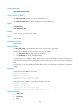
Related commands
• display role
• permit vlan
• role